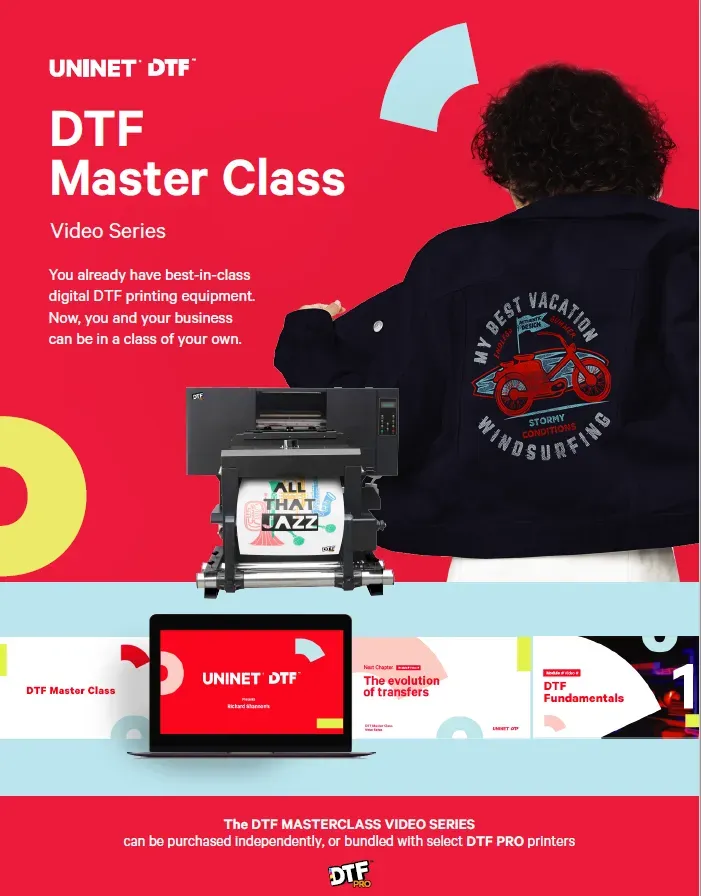
Master DTF Printing is transforming how hobbyists and small shops create eye-catching apparel, turning curiosity into confident, repeatable results with a system you can grow over time. If you’re wondering how to go from curious beginner to confident creator, this guide explains the core idea of DTF printing and how to get started. You’ll learn what direct-to-film transfers are, how the film carries color, and how an adhesive powder and heat press help produce durable, vibrant results. We’ll walk through a simple, repeatable workflow so you can set up a reliable process, build confidence with each batch, and avoid common missteps. Whether you’re preparing custom tees for a fundraiser or stocking a small shop, these fundamentals establish a solid foundation for creative success.
An alternative framing of this process is the film-based color transfer approach, which uses a PET carrier film to move artwork from digital file to fabric. In this view, direct-to-film transfers describe how pigment is transferred from a printed film to textiles with adhesive powder and heat. Other terms such as digital textile transfer or heat-press decoration echo the same idea and help you explore the concept without overloading on jargon. Using these related terms supports a search-friendly approach as you learn about printer setup, color workflows, and aftercare, while keeping the focus on durable, vibrant results.
DTF Printing 101: What Direct-to-Film Printing Is and Its Benefits
DTF printing is a transfer-based method that uses a PET film as the carrier for your artwork. In the classic direct-to-film workflow, you print the image onto the film using pigment inks, apply a layer of adhesive powder, cure it, and then transfer the design to fabric with a heat press. Because you’re printing to a film rather than directly onto the garment, you benefit from bright color, a soft hand, and the ability to work with a wide range of fabrics.
Understanding the basics of DTF printing helps hobbyists and small shops move from curiosity to confident execution. The approach aligns well with modern DTF transfer workflow and, when paired with proper DTF printer setup, reduces startup costs and expands design possibilities. With the right equipment and workflow, you can produce vibrant designs for tees, bags, and more that hold up to regular washing.
Setting Up Your DTF Printer: From Inks to Film to Heat Press
Setting up a DTF printer begins with choosing the right hardware and inks. Most beginners start with a dedicated DTF printer or adapted consumer printer compatible with pigment-based inks designed for durable, colorfast results. Pair this with PET film and a suitable adhesive powder, then prepare a reliable heat press to seal the transfer to fabric. The process described here is part of a solid DTF printer setup that supports consistent outcomes.
Create a clean, ventilated workspace to support consistent results and reduce contamination. Organize the film, powders, and inks so you can follow the correct order in the DTF printer setup and preserve print quality. A stable feed, calibrated temperature control, and a comfortable pressing area all contribute to smoother production and fewer misprints.
Master DTF Printing: A Practical Path for Beginners
Master DTF Printing is a practical framework designed to help beginners build confidence, establish routines, and scale as needed. By focusing on the core steps of the DTF design tips, printer setup, and a repeatable transfer workflow, new makers can move from trial prints to consistent runs. The approach emphasizes accessibility, lower startup costs, and hands-on learning.
With clear milestones and tested workflows, Master DTF Printing helps you develop a reliable process that yields bright colors, durable transfers, and an approachable path into small-batch production. As you practice, your understanding of DTF printer setup and the nuances of the transfer workflow will grow, enabling faster iterations and better results on a variety of fabrics.
Designing for DTF: Tips for Crisp Colors with DTF Design Tips
Successful DTF design starts with high-resolution artwork and careful color planning. Aim for 300 dpi or vector files, plan a white underbase for dark fabrics, and consider color separations that keep edges crisp when the design is printed on PET film. Good soft proofing and consistent color management help translate on the final transfer. Following DTF design tips can help you predict how colors will look after printing and pressing.
Structure your designs to leverage the strengths of direct-to-film transfers, using bold shapes, clean lines, and limited color palettes to reduce misregistration risks. Keep a simple background and test on garment swatches; the input file should align with your printer driver and RIP settings so the actual print matches your expectations and your customers’ needs. If you test a few color combinations, you’ll gain confidence in the results and reduce surprises during production.
From File to Fabric: The DTF Transfer Workflow
This section outlines the DTF transfer workflow in practical terms: design the artwork, print on PET film with the white underbase as needed, apply and cure adhesive powder, pre-press the garment to remove moisture, and transfer the design with heat and pressure. Following these steps consistently helps ensure bright colors and a durable bond to fabrics.
After transfer, allow the garment to cool before peeling the carrier sheet and performing a brief post-press if required. This sequence minimizes distortion and improves wash durability. Understanding the transfer workflow at each stage — from file to fabric — makes it easier to troubleshoot issues and maintain high quality across runs.
Troubleshooting, Durability, and Care for DTF Transfers
Even with a solid DTF printer setup and careful design, issues can arise such as color misregistration, incomplete transfer on dark fabrics, or rough texture from over-pressing. Tackle these by checking film alignment, ensuring proper curing, and adjusting heat or time in small increments. Regular practice and test prints help you refine settings for various garment types.
Durability matters for customer satisfaction, so follow wash-care guidelines, turn garments inside out, and avoid high heat when drying. Regular maintenance of the printer, films, and powders—along with proper storage and handling of completed transfers—helps preserve color brightness and grip across many washes, reinforcing the value of a consistent workflow.
Frequently Asked Questions
What is Master DTF Printing and how does it relate to DTF printing?
Master DTF Printing is a beginner‑friendly approach to direct‑to‑film transfers. It uses DTF printing steps—printing artwork on PET film, applying adhesive powder, curing, and transferring with a heat press—to deliver vibrant, durable designs on fabrics.
What equipment do I need for the DTF printer setup in Master DTF Printing?
For DTF printer setup, you’ll typically need a dedicated DTF printer or a modified consumer printer with pigment‑based inks, plus PET film and adhesive powder. A reliable heat press and a clean, ventilated workspace are essential, and follow your supplier’s guidelines for calibration and curing.
What are essential DTF design tips for Master DTF Printing beginners?
DTF design tips include using high‑resolution artwork (300 dpi or vector), planning a white underbase for dark fabrics, and calibrating your monitor for soft proofing. Keep initial designs simple with bold shapes and limited colors to build confidence.
Can you describe the DTF transfer workflow in Master DTF Printing from design to garment?
DTF transfer workflow in Master DTF Printing follows a clear sequence: prepare the design and print settings, print on PET film (with a white underbase if needed), apply and cure the adhesive powder, pre‑press the garment, transfer with heat and pressure, then cool and peel, with a post‑press if required.
What are common issues in Master DTF Printing and how can I troubleshoot them in DTF printing?
Common issues include color misregistration, incomplete transfer on dark fabrics, cracking or rough texture, and white underbase problems. Troubleshoot by checking alignment and film feed, ensuring proper powder curing, adjusting heat/time within guidelines, and verifying the white base pass and ink flow.
What best practices exist for finishing, care, and maintenance in Master DTF Printing?
Best practices include following wash guidelines (cold water, inside‑out), avoiding high‑heat drying, keeping prints and equipment clean, using licensed artwork, and maintaining printer health with regular head cleaning and color calibration to ensure consistent results in direct‑to‑film transfers.
| Topic | Key Points |
|---|---|
| What is Direct-to-Film (DTF) Printing? |
|
| Master DTF Printing for Beginners |
|
| Setting Up Your DTF Printer and Workspace |
|
| Design and File Preparation (DTF Design Tips) |
|
| Step-by-Step Process (Workflow) |
|
| Common Challenges and Troubleshooting |
|
| Quality, Durability, and Care |
|
| Pros and Cons |
|
| Budgeting, Ethics, and Best Practices |
|