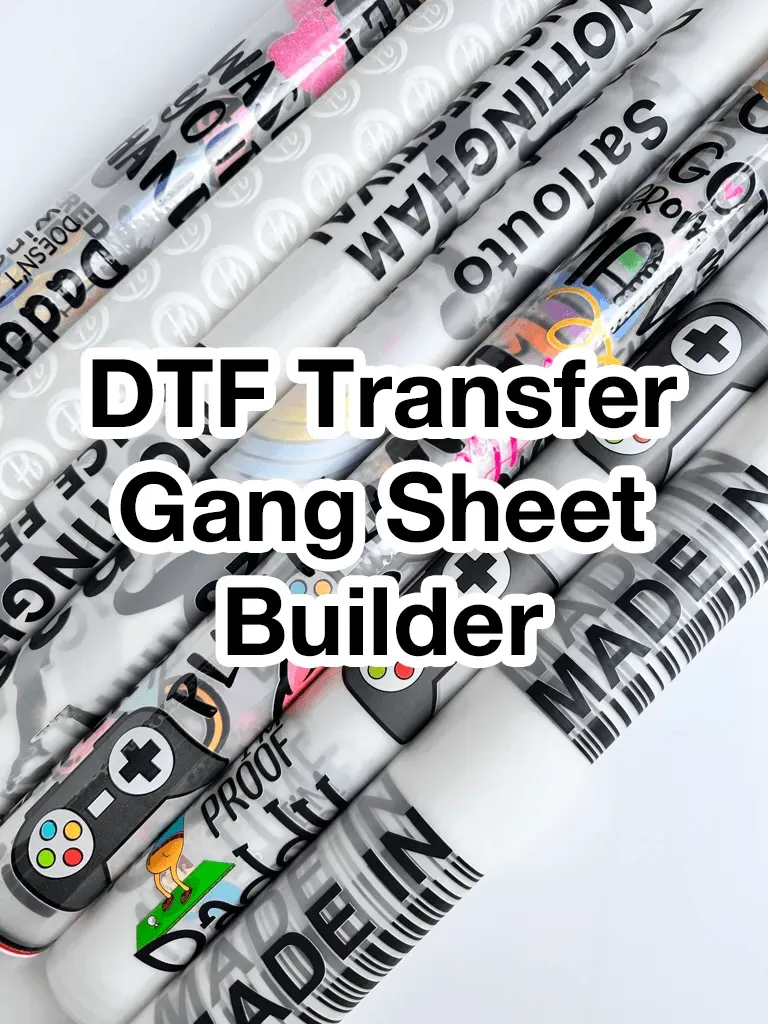
DTF Gangsheet Builder is changing how print shops approach custom apparel production by streamlining layout and batch handling. By allowing you to arrange multiple designs on a single transfer sheet, it reduces waste, speeds up production, and lowers per-unit costs. For designers and operators, this tool integrates with DTF printing workflows, boosting print shop efficiency. It supports a smoother small business printing workflow by standardizing layouts and reducing the number of separate prints. If you’re looking to scale without increasing headcount, a robust gangsheet builder can save time and money while maintaining quality.
In other words, this software acts as a batch layout optimizer for direct-to-film workflows, enabling DTF batch printing on a single sheet. Think of it as a sheet-nesting and color-management companion that aligns with your RIP and printer to maximize substrate utilization. By automating alignment, spacing, and print order, it supports a cohesive small-business printing workflow and consistent results across orders. For shops growing through orders in bulk, this technology reduces setup time, lowers waste, and speeds delivery.
Maximizing Throughput with Efficient DTF Gangsheet Layout
In the fast-moving world of apparel printing, efficiently stacking designs on a single transfer sheet is a powerful way to boost throughput. A well-constructed DTF gangsheet layout lets you fit more designs onto each sheet, reducing the number of print runs and post-processing steps. This directly translates to faster turnarounds and lower per-item labor, which are essential for maintaining competitiveness in a busy shop environment.
DTF batch printing benefits are most visible when layout optimization minimizes wasted space, bleed, and incorrect spacing. By maximizing sheet utilization, you can increase print shop efficiency while keeping quality high. For small businesses juggling tight deadlines, every saved minute compounds into measurable gains in capacity and reliability of the overall small business printing workflow.
DTF Gangsheet Builder: Streamlining the Small Business Printing Workflow
A DTF Gangsheet Builder is purpose-built to optimize every sheet, automating nesting, spacing, and color distribution so you can arrange multiple designs without compromising print quality. The tool supports common DTF sheet sizes and integrates with RIP workflows to streamline the transition from layout to production.
With drag-and-drop templates, preflight checks, and yield reports, the builder standardizes production, reduces variability, and makes quoting easier. For small businesses, this means you can reliably deliver on time while controlling material costs, all within a streamlined printing workflow that minimizes manual, time-consuming steps.
Reducing Waste and Lowering Costs in DTF Printing
Material efficiency starts with precision layouts. A well-optimized DTF gangsheet reduces film, powder, and ink waste by packing designs intelligently and ensuring consistent margins. This not only lowers material costs but also improves overall yield, helping you serve more orders with the same resources.
As waste diminishes, so does the cost per transfer. The resulting savings contribute to a healthier bottom line, particularly for small shops that rely on tight margins. When combined with accurate yield reporting, you gain clearer visibility into pricing and profitability within the broader print shop efficiency strategy.
Seamless Integration with RIPs, Software, and Inks
A successful gangsheet workflow hinges on compatibility with your RIP, printer, and design software. Look for a DTF gangsheet solution that exports cleanly to your RIP formats, preserves color integrity, and supports your existing color management practices. This reduces manual rework and aligns the gangsheet output with your standard production settings.
Beyond file export, integration with order management and stock systems helps automate recurring jobs and invoicing. When the gangsheet builder fits into your broader DTF printing ecosystem, you gain smoother operations, better data flow, and higher print shop efficiency across the full small business printing workflow.
Real-World ROI: Case Studies of Gang Sheet Production
A boutique shop that transitioned to gang-sheet-based production saw tangible gains in weekly capacity. By adopting auto-nesting and standardized templates, the business reduced setup time and improved consistency across orders, directly impacting customer satisfaction and on-time delivery.
In another example, a shop handling diverse designs across multiple fabrics achieved measurable ROI through reduced material waste and faster batch printing. These case studies illustrate how DTF batch printing with gang sheets translates into real savings and scalable growth within a small business printing workflow.
What to Look for When Choosing a DTF Gangsheet Builder
When evaluating options, prioritize ease of use, robust auto-nesting, and reliable export to your RIP and printer. A strong DTF Gangsheet Builder should save time on layout tasks and deliver consistent results, helping you improve print shop efficiency without a steep learning curve.
Also assess cost models, vendor support, and the ability to scale with your business. Look for features like color-aware placement, template libraries, and integration capabilities that align with your current software stack. A thoughtful choice will streamline your small business printing workflow and support long-term growth.
Frequently Asked Questions
What is a DTF Gangsheet Builder and how does it work with DTF printing?
A DTF Gangsheet Builder is a software tool designed for direct-to-film (DTF) printing workflows to create gang sheets. It automates auto-nesting, spacing, bleed, and color distribution so you can fit more designs on a single transfer sheet. This enables DTF batch printing, reduces waste, and speeds up production, making it especially valuable for small teams and print shops pursuing higher efficiency.
How can a DTF Gangsheet Builder improve print shop efficiency and the small business printing workflow?
Using a DTF Gangsheet Builder streamlines your workflow and boosts print shop efficiency by: • Batch printing more designs per sheet to cut setup time • Reducing material waste through optimized nesting • Standardizing layouts for consistent results • Shortening post-processing and ink changes • Providing clearer estimates for job pricing and timelines, enhancing the overall small business printing workflow.
What features should I look for in a DTF Gangsheet Builder for effective DTF batch printing?
Key features to optimize DTF batch printing include: auto-nesting and layout optimization, sheet size variety, color management and separation, importable asset formats (SVG, PNG, TIFF, PDF), drag-and-drop templates, preflight checks, export compatibility with RIPs, and yield reports with cost estimates. Integrations with your existing print workflow further boost print shop efficiency.
How does a DTF Gangsheet Builder impact cost, yield, and material usage for small businesses?
A DTF Gangsheet Builder helps improve margins by reducing waste and improving yield. It optimizes film, powder, and ink usage, lowers per-job costs, and enables more accurate pricing through yield estimates. For small businesses, these improvements translate to faster turnarounds, reduced material costs, and better profitability across DTF printing operations.
How do I implement a DTF Gangsheet Builder into my existing print workflow?
To implement a DTF Gangsheet Builder: 1) Gather assets and specs for active designs; 2) Define sheet parameters (size, margins, bleed); 3) Import and auto-nest designs, adjusting with drag-and-drop; 4) Optimize color order and run preflight checks; 5) Export to your RIP with correct color profiles; 6) Test print, then integrate with your order management and stock systems to complete the improved workflow.
Can you share ROI or real-world results from using a DTF Gangsheet Builder?
Real-world results vary, but many shops see meaningful gains. A typical small business using a DTF Gangsheet Builder reports 20–40% efficiency improvements per batch, 5–15% material waste reduction, and faster production times. A representative case study showed reduced setup time by 25–35% and improved margins, illustrating how DTF printing with a gangsheet strategy can scale a small business without adding headcount.
| Topic | Key Points |
|---|---|
| What is a DTF Gangsheet Builder? | A software solution designed for direct-to-film (DTF) printing workflows to create gang sheets. A gang sheet holds multiple transfer designs on a single sheet, which are printed together, cured, and translated into individual transfers. The builder automates layout optimization, spacing, bleed, and color distribution to maximize designs per sheet without compromising print quality. This is especially valuable for small businesses that regularly fulfill bulk orders or many similar designs. |
| Benefits for small businesses | Time savings: Batch more designs per sheet, reducing prints and post-processing steps. Material efficiency: Minimizes waste of film, powder, and ink. Consistent results: Standardized gang sheets reduce variability between runs. Better scheduling: Predictable production times free up capacity for rush jobs. Easier pricing and quoting: Clearer material usage estimates improve pricing accuracy and win more business. |
| Key features to look for | Auto-nesting and layout optimization; Size and sheet variety; Color management and separation; Importable design formats; Drag-and-drop layout and templates; Preflight checks; Export for RIP and printer compatibility; Cost estimation and yield reports; Integrations and automation. |
| How to use: a practical guide | Step 1– Gather assets and specs. Step 2– Define sheet parameters. Step 3– Import and arrange designs. Step 4– Optimize color and print order. Step 5– Preflight and verify. Step 6– Export and print. Step 7– Post-processing and application. |
| ROI and time savings | Time savings: 20–40% per batch. Material savings: 5–15% waste reduction. Labor reduction: Fewer sheet changes and streamlined post-processing. Overall ROI: Many shops recoup investment within a few months. |
| Best practices, pitfalls, and choosing the right builder | Best practices: Plan ahead with templates; Standardize artwork; Track yields and errors; Test layouts; Balance color spend. Common pitfalls: Underestimating bleed and margins; Overloading sheets; Neglecting file integrity; Ignoring workflow integration. Choosing the right builder: Evaluate ease of use; Check automation options; Assess compatibility; Consider growth potential; Review cost and support. |
Summary
DTF Gangsheet Builder is a practical solution for small apparel businesses seeking to optimize printing workflows and reduce costs. It enables efficient batch printing, reduces waste, and standardizes production processes, helping you deliver faster turnarounds, maintain consistent quality, and grow your apparel business without sacrificing profitability. By automating layout, color management, and export to RIP formats, this solution supports scalable growth and improved predictability in your shop. If your business is ready to upgrade its DTF printing workflow, exploring a DTF Gangsheet Builder is a smart investment in long-term success.