

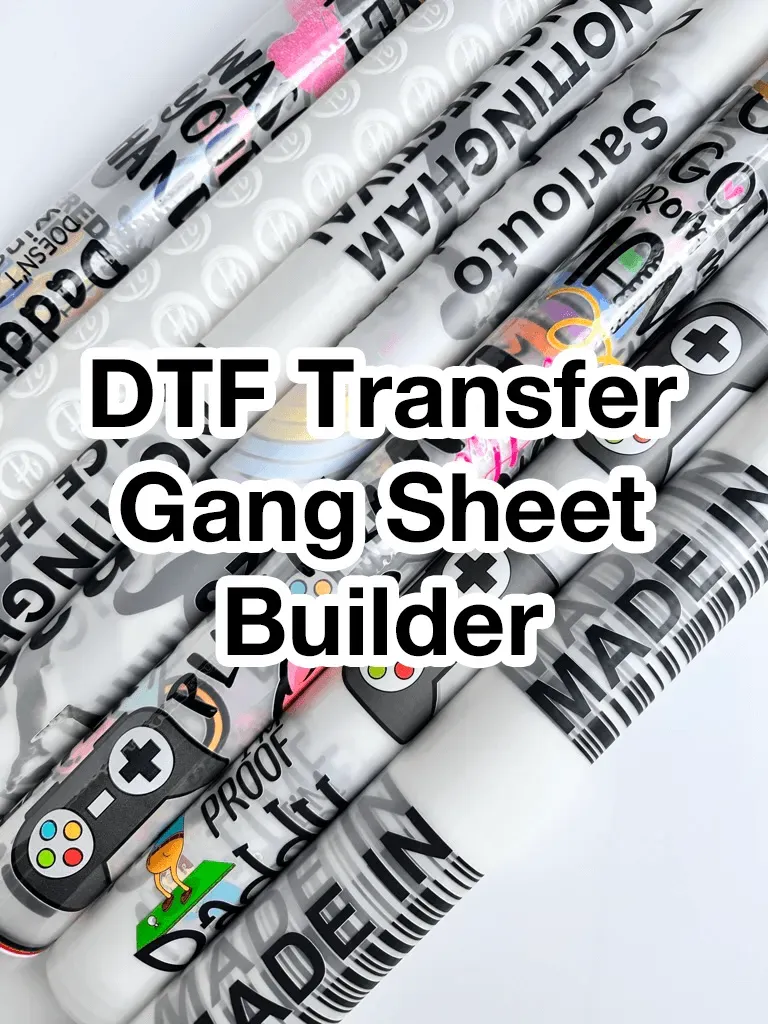
DTF gangsheet builder is transforming how shops plan and print multi-design transfers, turning complex layouts into a streamlined workflow that saves time, reduces errors, and improves accuracy from the first pass. By automating placement, it strengthens the DTF printing workflow, accelerates setup, minimizes manual adjustments, plugs into asset libraries, and helps teams meet tighter deadlines without compromising color fidelity. Early adopters report that gangsheet optimization measurably boosts efficiency, a fact illuminated by a DTF case study that compares traditional layouts with automated tiling across several job runs. The improvements translate into increasing output and better consistency, contributing to higher DTF printing efficiency across runs, while reducing waste and lowering labor hours spent on layout tasks. As a descriptive overview, this introduction shows how automation, intelligent layout decisions, and clear workflow rules come together to raise throughput, improve predictability, and set a foundation for scalable production across teams and across facilities.
From a terminology perspective, what you’re looking at is a layout automation solution for transfer sheets, designed to tile multiple designs onto a single pass. By combining smart tiling with width awareness, it maximizes material utilization and reduces manual setup across shifts. Teams often integrate this kind of tool with RIP software and asset libraries to build repeatable templates for common product lines. The goal is to shorten production cycles, improve color consistency, and lower cost per transfer by optimizing the entire print queue and reducing handling time. In short, this class of workflow optimization aligns with broader industry moves toward automation, visibility, and scalable output in digital apparel printing.
DTF gangsheet builder: Automating Layouts to Boost Throughput
A DTF gangsheet builder automates the layout of multiple designs onto a single transfer sheet, turning what used to be a manual, error-prone process into a repeatable workflow. By analyzing each artwork’s dimensions, bleed, safe area, and color channels, the builder creates print-ready sheets that fit within the printer’s width and margins. This not only saves operator time but also minimizes human error in the DTF printing workflow. The result is faster setup times and a clearer path to higher output, driven by smart placement rather than guesswork.
Shops report that intelligent layout planning improves sheet utilization and reduces wasted transfer film. In practice, a well-tuned DTF gangsheet builder considers color separations, ink budgets, and curing constraints so that designs share space efficiently without crowding or color clashes. Beyond raw speed, it standardizes how files are prepared, validated, and handed to RIP software, contributing to consistent DTF printing efficiency across shifts.
Gangsheet Optimization Strategies for Higher DTF Output
Effective gangsheet optimization blends design rules with automation, producing layouts that maximize print area without compromising quality. Start by building a library of proven templates for your most common product lines, and store bleed, safe zones, and margins as rules the builder can enforce. This approach aligns with the DTF printing workflow by reducing variation, speeding up art approvals, and ensuring predictable results when increasing output.
Use incremental testing on small batches to fine-tune spacing, color budgets, and ink usage. Track KPIs such as sheets printed per hour, waste rate, and setup time to measure gains. When designs are reflowed to accommodate new layouts, the gains compound, illustrating the power of gangsheet optimization in real-world production environments and reinforcing the value highlighted in the DTF case study.
DTF Case Study: Real Shops Doubling Output with Smart Layouts
This subheading reflects the case study explored in the provided content, showing how shops implemented layouts with a DTF gangsheet builder to streamline the DTF printing workflow and double output. The case demonstrates that automated placement and consistent margins help maintain color fidelity while increasing throughput across high-mix runs.
Across three shops over a 90-day pilot, teams reported uplift in prints per shift, reduced setup time, and lower waste. The lessons emphasize measuring baseline metrics, validating layouts with pilot runs, and training operators to recognize acceptable deviations. The DTF case study reinforces that the path to higher DTF printing efficiency lies in disciplined automation and data-driven iteration.
Streamlining the DTF Printing Workflow for Consistent Quality
A streamlined DTF printing workflow connects artwork intake, gangsheet generation, RIP processing, transfer film handling, and curing into a smooth sequence. The builder’s automated checks validate file formats, ensure bleed and safe zones are respected, and align with printer firmware. This reduces misprints and misalignments, supporting faster turnaround times while preserving color accuracy and detail.
With repeatable layouts and a clear operator handoff, shops can maintain DTF printing efficiency across shifts. The automation helps stabilize output, make scheduling more predictable, and minimize reprints caused by spacing or alignment errors. The result is higher confidence in meeting delivery deadlines and maintaining consistent quality, a key theme in any DTF case study focused on operational excellence.
Design Library and Color Management: Increasing Output with Predictable Results
A well-organized design library underpins successful gangsheet layouts. By tagging designs with consistent naming, artboard sizes, and color channel budgets, the DTF gangsheet builder can auto-place assets with minimal manual intervention. This contributes to faster iterations and a more predictable DTF printing workflow, where color management and bleed settings are honored in every layout.
Defining color budgets and separation rules within the builder helps avoid clipping, unintended color bleed, and misalignment. Operators gain confidence as templates scale to different sheet sizes, maintaining the integrity of each design while increasing output. The predictability builds trust with customers and reduces the risk of costly reprints, an outcome echoed in broader discussions of gangsheet optimization and DTF printing efficiency.
ROI, Implementation Roadmap, and Long-Term Value of DTF Output Improvements
Investing in a DTF gangsheet builder is a strategic move with measurable ROI when volumes are high and designs vary widely. By decreasing setup time, optimizing sheet usage, and reducing reprints, shops see accelerated throughput and a lower cost per transfer—key components of increasing output and overall DTF printing efficiency.
An implementation roadmap should start with a pilot phase, map the current DTF printing workflow, and define robust templates and validation checks. Track metrics such as prints per hour, waste rate, and reprint rate to quantify gains, then scale to full production with ongoing monitoring. This approach aligns with the broader themes of the DTF case study and demonstrates how disciplined automation translates into sustained value over time.
Frequently Asked Questions
What is a DTF gangsheet builder and how does it affect the DTF printing workflow?
A DTF gangsheet builder is software that automatically arranges multiple designs on a single transfer sheet, respecting print area, bleed, safe zones, margins, and color separations. Integrated into the DTF printing workflow, it dramatically reduces manual layout time, improves alignment, and can drive increasing output while preserving color fidelity and consistency.
How does gangsheet optimization drive increasing output in DTF operations?
Gangsheet optimization focuses on the most efficient arrangement of designs to maximize sheet usage and minimize waste. By optimizing spacing, margins, and color management rules, shops speed setup and transfer more designs per run, contributing to increasing output and steadier DTF printing efficiency.
Can you share a DTF case study that demonstrates the impact of a gangsheet builder on production?
This DTF case study illustrates how several shops adopted a gangsheet builder to improve the DTF workflow, optimize gangsheet layouts, and measure gains in throughput, reduced reprints, and lower material waste. The findings highlight practical benefits like faster turnarounds and more predictable performance.
What steps should a shop take to implement a DTF gangsheet builder for faster throughput?
Start by mapping the current DTF printing workflow and identifying bottlenecks in layout and setup. Then collect design assets, define layout rules (bleed, safe zones, color budgets), configure the builder with printer width and sheet size, run pilot layouts, train operators, and measure output vs baseline. This approach emphasizes increasing output through iterative testing and disciplined measurement.
How does a DTF gangsheet builder improve DTF printing efficiency and reduce waste?
The builder automates design placement, enabling more designs per sheet and reducing manual adjustments. This lowers setup time, minimizes misalignment, and cuts offcut waste, delivering measurable gains in DTF printing efficiency and material savings.
What are common challenges when adopting a DTF gangsheet builder and how can studios overcome them with gangsheet optimization?
Common challenges include file compatibility, inconsistent artwork standards, and change resistance from operators. Overcome these with standardized file naming, templates, automated checks, pilot runs, and clear training. Ongoing gangsheet optimization—tuning templates and rules based on real production data—keeps the workflow stable and efficient.
| Key Point | Description |
|---|---|
| Focus keyword | DTF gangsheet builder is the primary topic and optimization target for the content. The focus keyword drives the SEO and content framing around automating layout and maximizing sheet usage in DTF workflows. |
| What is it? | A software tool or workflow that automates the placement of multiple designs onto a single gang sheet for DTF transfers, accounting for bleed, color spacing, curing constraints, and print readiness. |
| Benefits |
|
| How it can double output |
|
| Implementation steps |
|
| Real-world outcomes & metrics |
|
| Best practices |
|
| ROI considerations | ROI depends on print volumes, design variety, and waste levels. For shops with frequent short runs and many designs per order, gains in throughput and reduced setup time typically justify investment. Long-term savings in ink, transfer film, and labor compound to lower cost per transfer and higher margins. |
Summary
Table summarizing the key points of the base content.