

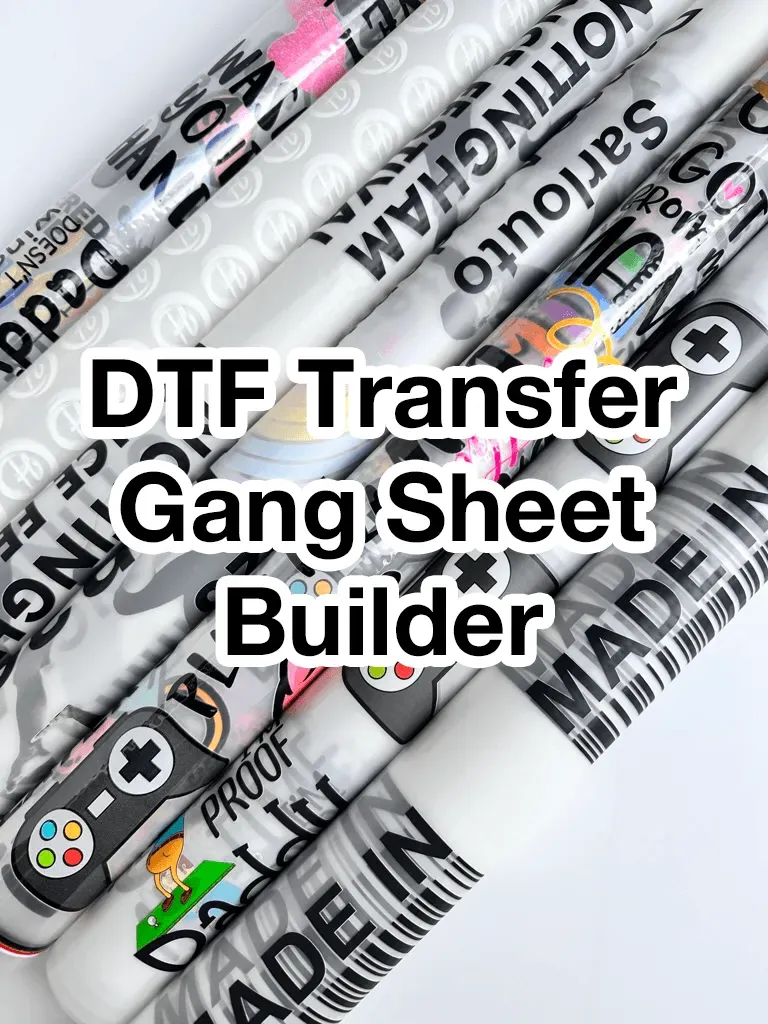
DTF Gangsheet Builder streamlines the journey from concept to fabric, turning your DTF printing ideas into organized, production-ready layouts. This powerful tool helps you place multiple designs on a single sheet, reducing waste, speeding up setup, and supporting a design-to-fabric workflow. With intuitive layout controls and color-management presets, you can forecast how colors will translate from screen to fabric, with practical implications. The result is faster turnarounds for small-batch runs and more consistent results across orders. Whether you’re just starting out or scaling a production line, the DTF Gangsheet Builder is a practical, scalable solution for modern apparel brands.
Understanding DTF Printing and Gang Sheets: From Concept to Production
Direct-to-Film (DTF) printing delivers vibrant colors and durable finishes on fabrics, and using gang sheets can dramatically improve efficiency by placing multiple transfer designs on a single sheet. This approach maximizes printer bed usage, reduces material waste, and helps keep margins and placements consistent across designs, which is essential for scalable production.
From concept to finished fabric, the design-to-fabric pipeline relies on thoughtful planning and precise execution. A well-planned gang sheet strategy lets you move from digital artwork to physical fabric quickly and reliably, enabling small teams to handle more orders with fewer errors. Mastering gang sheets is a foundational skill in the modern DTF workflow.
Design-to-Fabric Automation: Planning for a Seamless Workflow with Gang Sheets
Before you open any software, gather all design assets and decide how they’ll be arranged on the gang sheet. Consider a consistent margin around each design, a grid that matches your printer bed, and color management presets to preserve intent. This upfront planning minimizes back-and-forth during the build stage and helps prevent misaligned transfers.
With a clear plan for transfer design and fabric prep, the gang sheet becomes a repeatable engine for production. A well-structured approach supports batching, ensures reliable margins, and makes it easier to reproduce exact results across different fabrics and orders—continuing to optimize the design-to-fabric experience.
Color Management and Fabric Prep in DTF Transfers
Color management is critical in DTF transfers. Calibrating color profiles, employing soft-proofing, and establishing a global color space helps ensure that what you see on screen translates accurately to fabric, minimizing costly reprints and color shifts.
Fabric prep plays a pivotal role in transfer quality. Properly prepared fabric—clean, wrinkle-free, and correctly tensioned—enables sharp edges and consistent ink deposition. When working with white ink on dark fabrics or underbase layers, plan the order of operations and ink layering to preserve vibrancy and opacity after transfer.
Creating Efficient Gang Sheet Layouts: Grids, Margins, and Spacing
Efficient gang sheet layouts rely on a disciplined grid system that aligns with your printer’s bed size and supports even ink deposition. Consistent spacing and deliberate margins around each design prevent edge bleeding during transfer and keep designs visually balanced across the sheet.
Saving layout templates and establishing reusable configurations speeds up future runs. When you need to accommodate different orders, the ability to swap designs within a proven grid reduces setup time, minimizes waste, and maintains consistent output across many designs on gang sheets.
DTF Gangsheet Builder: Batch Production and Studio-Scale Efficiency
The DTF Gangsheet Builder is a workflow that arranges multiple transfer designs on one sheet, enabling batch processing and faster turnaround. By consolidating design placement, margins, and color presets, this tool directly supports the move from design concepts to fabric with fewer manual steps.
Using the DTF Gangsheet Builder, you can automate repetitive steps and streamline export settings, which accelerates the journey from design to fabric and supports consistent results across orders. This makes it easier to handle multiple designs, optimize fabric prep considerations, and maintain a scalable, production-ready pipeline.
Quality Assurance and Continuous Optimization in DTF Pipelines
Ongoing quality checks ensure color consistency and registration accuracy across all designs. Preflighting files, verifying fonts and asset integrity, and comparing digital proofs to printed results help you catch issues early and reduce waste.
When problems arise—color shifts, misalignment, or white ink opacity concerns—document the root cause and adjust margins, color profiles, or transfer parameters. Maintaining templates, logs of printer settings, and a culture of iterative improvement keeps the design-to-fabric process efficient and reliable, supporting long-term production goals.
Frequently Asked Questions
What is the DTF Gangsheet Builder and why is it essential for DTF printing workflows?
The DTF Gangsheet Builder is a tool that arranges multiple transfer designs on a single gang sheet for DTF printing. It accelerates the design-to-fabric workflow by batching designs, reducing ink waste, and ensuring consistent margins and placements across designs, simplifying the transfer design process and fabric prep.
How do gang sheets impact throughput and cost in DTF printing?
Gang sheets optimize printer bed space and color calibration across designs, which increases throughput and lowers cost per unit. The DTF Gangsheet Builder helps you test layouts, manage color across designs, and pre-visualize how designs will appear on fabric, improving consistency in real-world fabric prep and transfer results.
What planning steps are recommended for a design-to-fabric workflow with the DTF Gangsheet Builder?
Begin by collecting artwork, choose a sheet size that fits your printer and fabric type, and plan consistent margins and bleed. Use a grid layout, set global color settings, and establish naming/versioning to track designs as you move from design to fabric.
What are best practices for margins, grids, and color management when building gang sheets?
Use consistent margins around each design to prevent bleed, employ a grid aligned to your printer bed, and apply a global color profile with soft-proofing. Plan color intent for the transfer design to ensure colors reproduce accurately on fabric.
How should I prep fabric and export files for DTF gang sheet printing?
Prepare the fabric surface (clean, wrinkle-free, and properly tensioned) and ensure correct heat press alignment. In the DTF Gangsheet Builder, export gang sheets in the required file format with appropriate color profiles, and preflight for fonts and embedded images before printing.
What common issues occur with the DTF Gangsheet Builder and how can I troubleshoot them?
Common issues include color shifts, misalignment, white ink opacity on dark fabrics, and edge bleed. Recheck color profiles and soft-proofing, verify margins/grid alignment, ensure transfer film setup is correct, and run test prints on the same fabric to stabilize the design-to-fabric results.
| Key Point | Summary |
|---|---|
| What is the DTF Gangsheet Builder? | Software/workflow that arranges multiple transfer designs on one sheet for DTF printing, reducing waste and speeding production. |
| Why it matters | Batching designs onto gang sheets lowers costs, optimizes printer bed space, and ensures consistent margins and placements across designs. |
| Core benefit | Increases throughput, improves color consistency, and simplifies transfer design from digital art to fabric. |
| Design-to-fabric mindset | Plan with a sheet-as-canvas approach: gather assets, determine placement, use consistent margins, a grid, color management presets, and naming/versioning. |
| Workflow overview | Import designs, arrange in a grid, set margins, apply color settings, export, and prep fabric for transfer. |
| Quality checks | Inspect color consistency and registration; compare with proofs; track waste and iterate layouts to reduce material usage. |
| Best practices | Reusable templates, color libraries, printer/fabric logs, test prints on production fabric, and consistent naming/version control. |
| Troubleshooting | Address color shifts, misalignment, white ink opacity on dark fabrics, and bleed/edge smear issues with margins, profiles, and settings. |
| Advanced tips | Automate steps, manage vector/raster assets, experiment with spacing, and consider color separations to optimize ink usage. |
Summary
Conclusion